How to Visualize Backyard Renovation Results
Table of Contents
- What You'll Need Before You Start Visualizing
- Step 1: Measure Your Yard and Map Fixed Features
- Step 2: Use a Free Backyard Design App to Sketch Your Layout
- Step 3: Create a Backyard Design From Photo of Your Actual Space
- Step 4: Switch to a 3D Backyard Design Tool for Realistic Preview
- Step 5: Use a Backyard Layout Planner to Add Structures and Plants
- How to Tell If Your Backyard Renovation Visualization Is Buildable
- Conclusion: From Screen to Backyard
- Frequently Asked Questions
Last Updated: October 5, 2026
What You'll Need Before You Start Visualizing
The fastest way to see your backyard renovation before you spend a dollar: build a design file from accurate measurements, photos, and a free design app.
A design built on guessed dimensions looks fine on screen and falls apart on site: a patio too small for your furniture, a pergola that blocks a window. You only catch these when you measure first.
Here is what you need before you open any app:
- A tape measure at least 25 feet long, or a laser measure for speed
- A phone or camera to photograph the yard from several angles
- Graph paper for a quick hand sketch
Step 1: Measure Your Yard and Map Fixed Features
Measure the full outline of your yard, then mark everything that cannot move.
Walk the perimeter and record the length of each side. Then note the position of:
- Windows and doors that open onto the yard
- Trees and their root zones
- Utility lines, meters, and sprinkler heads
Note drainage issues: a spot that floods after every storm will flood under a new patio too unless you plan for it now.
The USDA Natural Resources Conservation Service guide to backyard drainage explains how water moves across a residential lot and why grading matters before you build.
Step 2: Use a Free Backyard Design App to Sketch Your Layout
A free backyard design app turns your measurements into a rough layout in minutes, no design skills needed, just your numbers and a general idea of what you want.
Enter your yard dimensions, then drop in shapes for the main zones:
- A dining area near the kitchen door
- A lounge or seating zone
- A garden bed along the fence
Move the shapes until the flow feels right, keeping walking routes at least 3 feet wide.
This stage is about layout, not looks. Get placement right before colors or materials.
Step 3: Create a Backyard Design From Photo of Your Actual Space
A backyard design from photo is the biggest upgrade to your plan: instead of a blank grid, you design over a real picture of your yard.
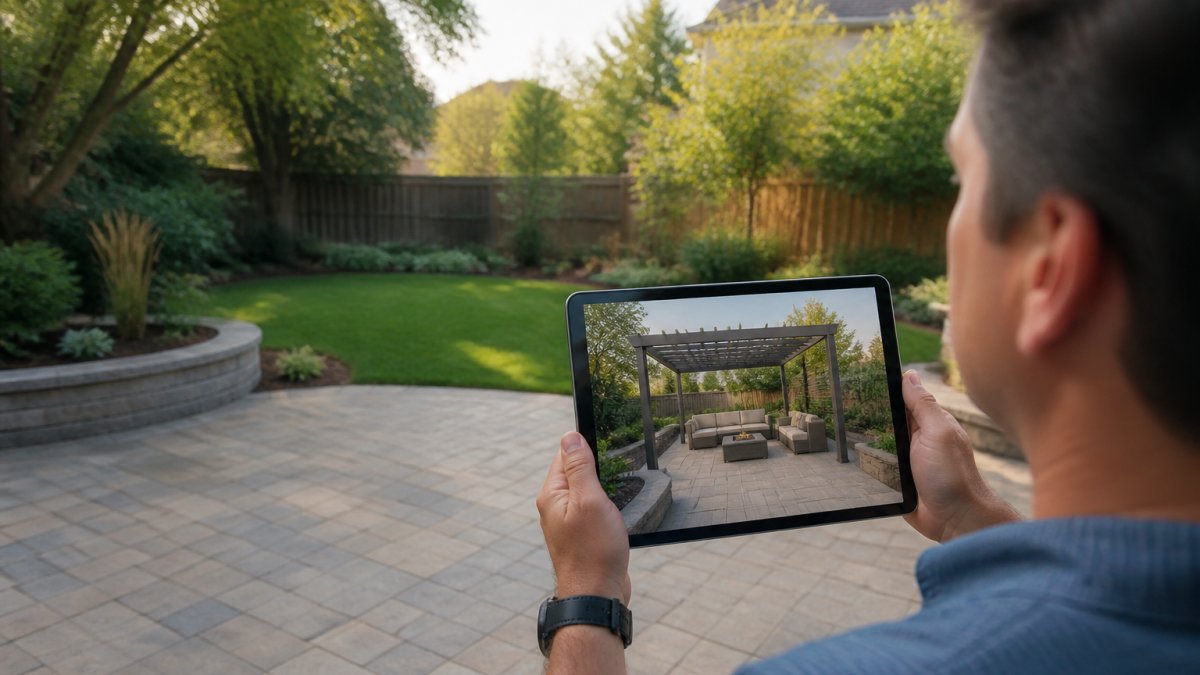
Take photos from the corners of your yard at eye level, capturing the full width in each shot.
For wide yards, stand in one spot and sweep the camera slowly across the space for a panoramic shot.
Step 4: Switch to a 3D Backyard Design Tool for Realistic Preview
A 3D backyard design tool shows height, depth, and shadow, which a flat sketch cannot, but only if the scene is built to scale. A pretty render on a wrong scale is worse than a rough sketch on a right one.
Set the scene so the 3D view tells the truth
Before you judge anything in 3D, lock down four inputs:
- Scale. Enter measured yard dimensions, not estimates. Most apps let you set a known distance, like the width of your patio door, and scale the rest from it.
- Ground plane. Mark the high and low points of the yard. If your yard drops 18 inches from the house to the back fence, the model needs that slope, or every structure will look level when it isn't.
- Fixed features. Place windows, doors, trees, utility meters, and fence lines at measured positions, the reference points that make a render believable.
What to actually look for in the 3D view
Walk the model the way you walk the yard. Stand at the kitchen door and check:
- Sight lines. Does a pergola post land in the middle of your best view? Does a gazebo block the window over the sink?
- Scale against the house. A structure that looks right on a grid can look oversized against a real roofline. Compare the model's height to your door height, a standard exterior door is about 80 inches tall, a built-in ruler.
- Shade at the hours you care about. A pergola that shades the patio at noon may leave it in full sun at 6 p.m. Check the model at the times you actually entertain.
- Circulation. Walk a virtual path from the door to the grill to the seating. If you step around a planter in the model, you'll step around it in real life.
Match the method to your skill and budget
Pick the method that fits how you work and how much realism you need:
- Photo markup. Trace over a phone photo with a drawing app. Lowest cost, lowest realism, fastest to learn. Good for blocking out zones.
- 2D layout planners. Free or low-cost apps that work in plan view. Good for spacing, walkway widths, and confirming furniture fits.
- Consumer 3D tools. Free-to-moderate apps that render your plan in 3D. Good for sight lines, shade, and height checks. Expect a learning curve of a few hours.
- Professional renders. A landscape designer or visualization service produces photorealistic images. Highest realism and cost, worth it for a large build or permit/HOA review.
A common pattern: start with photo markup, move to a 2D planner once measurements are set, and pay for a professional render only once the layout is locked.
The American Society of Landscape Architects residential design resources notes that scale and sight lines are two of the most common things homeowners misjudge on a flat plan.
Step 5: Use a Backyard Layout Planner to Add Structures and Plants
A backyard layout planner lets you place real structures and plants into your plan, turning the design into a working document you can price and build.
Add these elements in order:
| Design Element | What to Place First | Why It Matters |
|---|---|---|
| Hardscape | Patio, paths, footings | Sets the base everything sits on |
| Structures | Pergola, gazebo, fire pit | Decides shade and focal points |
| Furniture | Dining, lounge, seating | Confirms the patio is big enough |
| Plants | Trees, shrubs, beds | Softens edges and adds privacy |
| Lighting | Path and accent lights | Extends evening use |
Place hardscape and structures first, they're hardest to move later. Plants and lighting come last because they're easy to adjust.
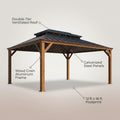
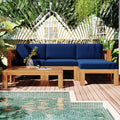
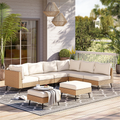
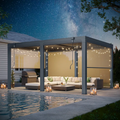
This is also where you can plan a cohesive setup: for one retreat-like space, choose structures and furniture that share a style and material.
How to Tell If Your Backyard Renovation Visualization Is Buildable
A backyard renovation visualization is buildable when every element fits real dimensions, real slopes, and real access. A pretty render means nothing if the structure can't be installed, this separates a design you can build from one you can only look at.
Run this checklist before you commit:
- Dimensions match the site. Every structure sits on level or properly graded ground, and the model's measurements match your tape.
- Slope is accounted for. If the yard drops more than a few inches across the footprint, the plan shows how, grading, a low retaining wall, or stepped footings.
- Drainage flows away from the house. Water should move away from the foundation, not pool under a new patio. A spot that floods now will flood under a new slab unless the plan addresses it.
- Footings have clear space and no buried lines. Call 811 before you dig (811 Before You Dig). Hitting a gas, water, or electrical line is a safety risk and a repair bill.
The feasibility factors a render won't show you
A visualization shows shape and color, not the conditions that decide whether the shape can exist:
- Utilities. Overhead lines, meters, and sprinkler zones constrain where you can build and plant. Mark them in the model.
- Tree root zones. Cutting roots to pour footings can kill a mature tree. Keep structures outside the canopy's drip line where you can.
- Setbacks and permits. A pergola drawn close to the property line may not meet local setback rules. Check with your building department before you buy anything.
- Climate. Materials that look great in a render may not hold up to local sun, freeze-thaw cycles, or wind. Match the material to the climate, not just the picture.
Budget and phasing: turning the render into a plan
A visualization often shows the finished space, not the path to it. Phase the design so you can build in order without redoing work:
- Site prep and drainage first. Grading, drainage, and retaining work are the foundation. Skipping them to get to the visible parts is the most common and most expensive mistake.
- Hardscape next. Patios, paths, and footings set the base everything else sits on.
- Structures after. Pergolas, gazebos, and fire pits bolt to the hardscape and are hard to move later.
- Plants and lighting last. These are the easiest to adjust and the most forgiving to delay.
Keep the end state in the model so each phase fits the final plan, a patio built in phase one should already be sized for the phase-three pergola.
If a plan passes every box and the phases line up, it's ready to price and build.
Conclusion: From Screen to Backyard
Getting a design onto a screen is the easy part. Turning it into a real retreat takes structures and furniture that match the plan and hold up outdoors.
We help homeowners move from a rough sketch to a finished space. Our weather-resistant materials stand up to sun, rain, and heat.
Explore the Collection and bring your backyard design to life.
Frequently Asked Questions
Is there a free app for backyard design?
Yes, several free backyard design apps let you sketch layouts, drag in plants and patio shapes, and preview a basic 2D or 3D view. Free versions usually limit the number of objects, render quality, or export options. For a full backyard renovation with pergolas, gazebos, and outdoor kitchens, you may need a paid tier or a dedicated 3D backyard design tool to get photorealistic results.
Can I take a photo of my backyard and get ideas for a new design?
You can. Photo-based design tools let you upload a yard photograph, trace over hardscape edges, and drop in structures, furniture, and plants at scale. This backyard design from photo approach works well because you see proposed changes against your real fence line, slope, and existing trees. Take the photo from a corner at eye level in flat light for the most accurate base image.
How can I visualize a backyard renovation before construction?
Start by measuring your yard and marking fixed features like utility lines, tree roots, and drainage paths. Then build a to-scale backyard layout planner file, add structures and plantings, and render a 3D view. Walk the design against your measurements to confirm clearances and slopes. If the visualization matches the site conditions, you can order materials and schedule installation with confidence.
What should I include in a backyard design plan?
A complete plan covers dimensions, slope and drainage, sun and shade patterns, utility locations, and the footprint of every structure. Include patio zones, garden beds, outdoor living areas, and paths. Note materials and colors so the render matches what you will order. Add a budget column and a priority ranking so you can phase the work if needed.